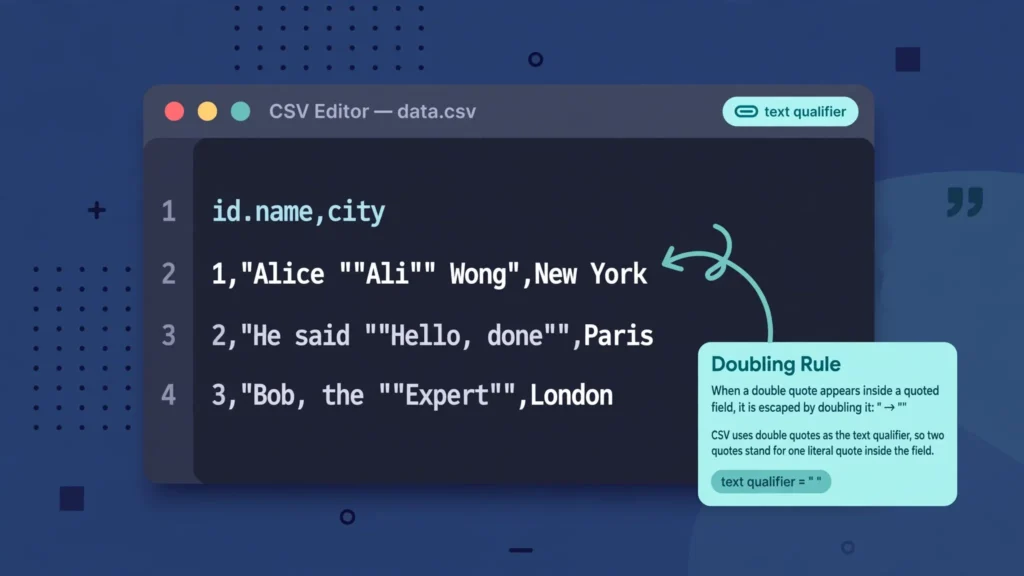
CSV double quotes escaping is one of those topics that looks trivial until it eats your afternoon. The entire rule fits in a sentence — to put a quote inside a quoted field, write two quotes — yet broken quoting is behind a remarkable share of “my CSV won’t import” tickets: columns splitting mid-field, phantom rows appearing from nowhere, imports that work in Excel but fail in Python, and files that look perfect in a text editor but explode in a database loader. The gap between the simple rule and the messy reality is where this guide lives.
You will learn the RFC 4180 quoting rules from the ground up: why quotes need escaping at all, the doubling rule with worked examples, what the “text qualifier” setting in Excel actually does, how Excel, Google Sheets, and Python each handle quoted fields (and where they differ), how to diagnose and repair broken quoting, and how to generate correctly quoted CSVs from Excel and Python so the problem never reaches your recipients — whether they are in the US, UK, India, Canada, or Australia. By the end, quote-related CSV failures will be a five-minute diagnosis instead of a mystery.
CSV double quotes escaping: the one rule you need
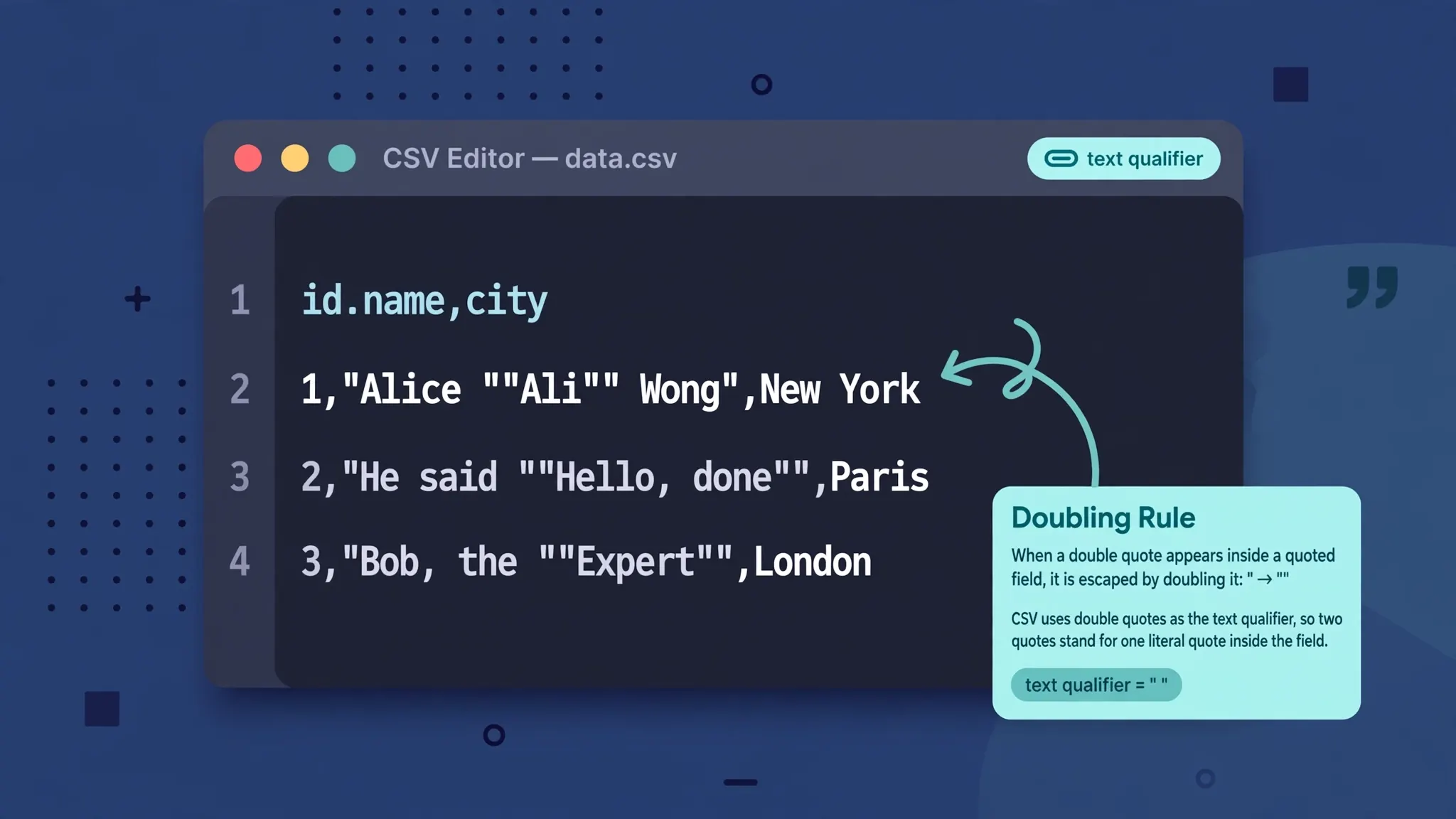
Here is CSV double quotes escaping in its entirety, per RFC 4180, the closest thing CSV has to an official standard:
"").That is genuinely all of it. The value She said "hi" becomes "She said ""hi""" in the file: the outer pair wraps the field, and each inner quote is doubled. A parser reading this sees the opening quote, then treats "" as one literal quote, and stops the field at the final lone quote. No backslashes, no special escape character — just doubling. If you have ever wondered how to CSV escape a double quote, the answer is beautifully low-tech: write it twice and wrap the field.
Two corollaries follow. First, doubling only happens inside quoted fields: a bare "" in an unquoted field is just two quote characters, which most parsers treat as an empty-ish oddity. Second, the doubled quotes are storage, not data: a correct parser un-doubles them, so Excel shows She said "hi" — single quotes — in the cell. If you see doubled quotes in Excel’s cells, the import went wrong (usually the text qualifier was misconfigured), because correct parsing removes the doubling.
Why quotes need escaping at all
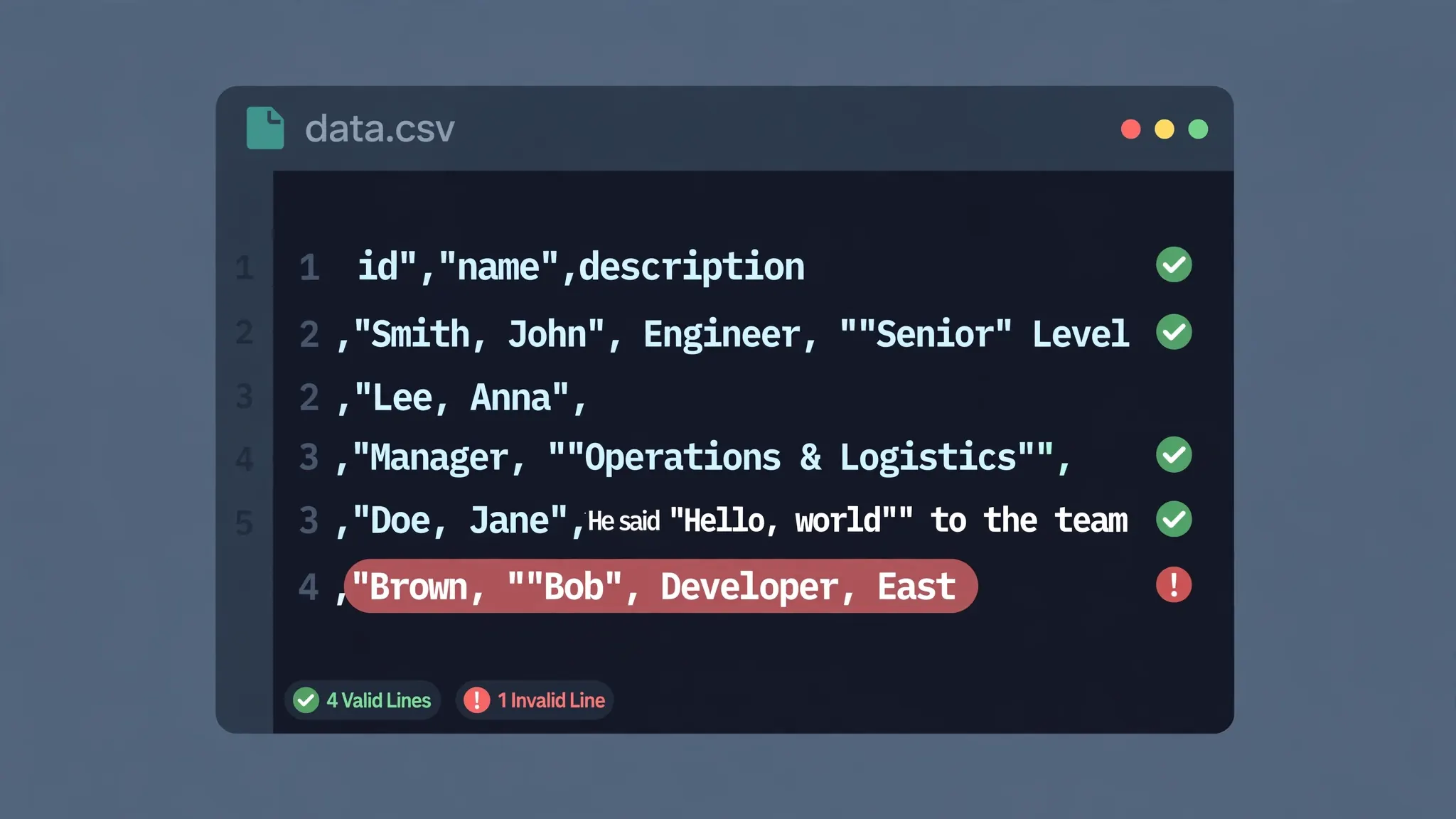
Quotes exist in CSV to solve the delimiter collision problem. A field like Smith, John contains a comma — the very character separating fields. Without quotes, a parser splits it into two fields and every column after it shifts. Wrapping it — "Smith, John" — tells the parser “this comma is data, not structure.” Quotes are also required for fields containing line breaks (covered in our CSV line breaks inside fields guide).
But the moment quotes become structural, a field that contains a quote creates ambiguity: does "Say "hi", Bob" end the field at the second quote or the fourth? The doubling rule resolves it deterministically — a parser treats "" as an escaped literal and only a lone " as the field terminator. This is why “just use backslashes” (the instinct from programming languages) is wrong for CSV: backslash escaping is not part of RFC 4180, and most CSV parsers treat \" as a literal backslash followed by a field-terminating quote — which is exactly the breakage people were trying to avoid.
The text qualifier: CSV’s quote setting in Excel
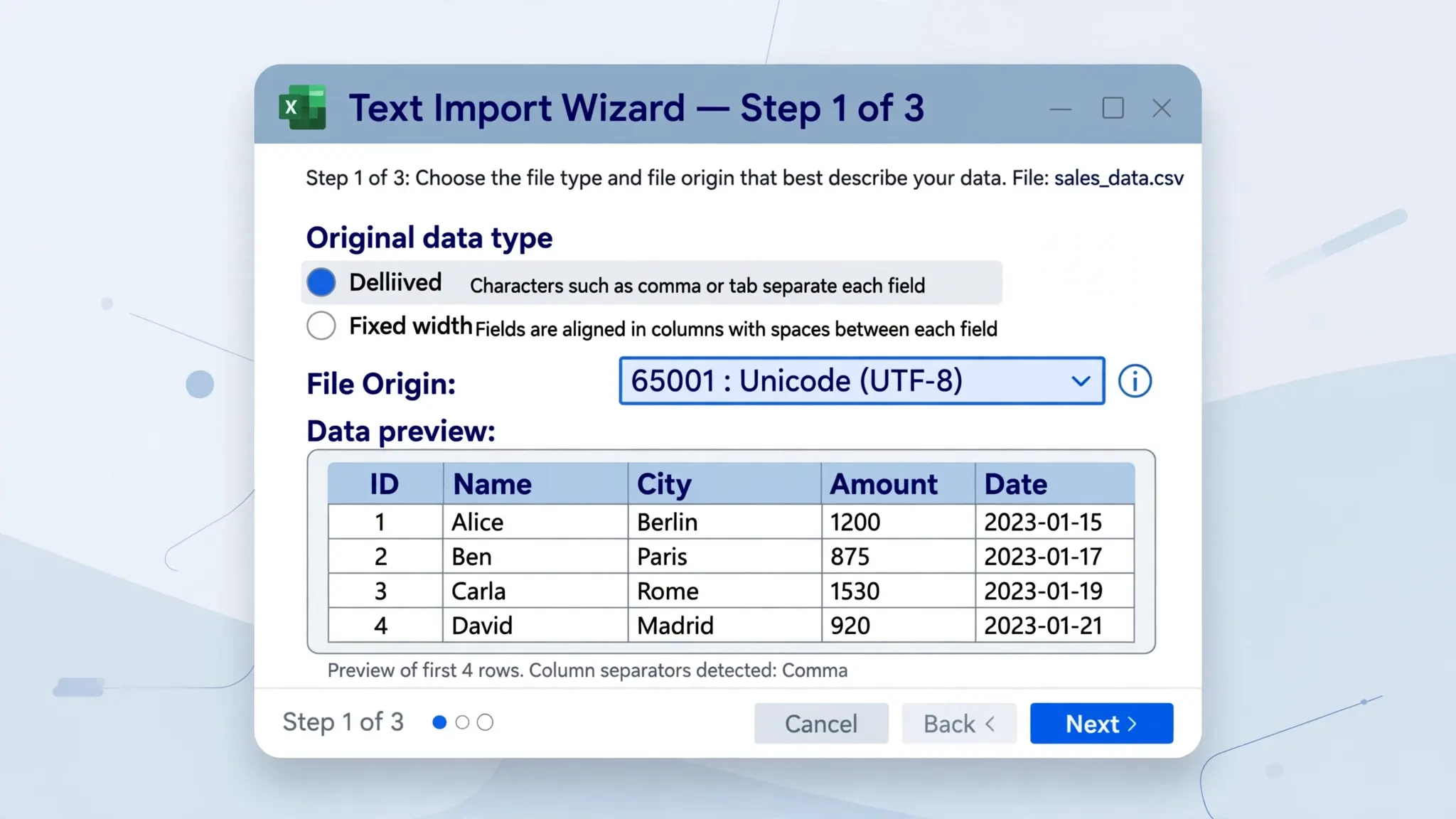
In Excel’s Text Import Wizard (step 2) and in Text to Columns, you will find a Text qualifier dropdown — usually offering ", ', or {none}. This is Excel’s name for the quote character: it tells the parser which character wraps fields. The CSV quote text qualifier is " in virtually every file you will ever meet; the dropdown exists for exotic formats that qualify with single quotes.
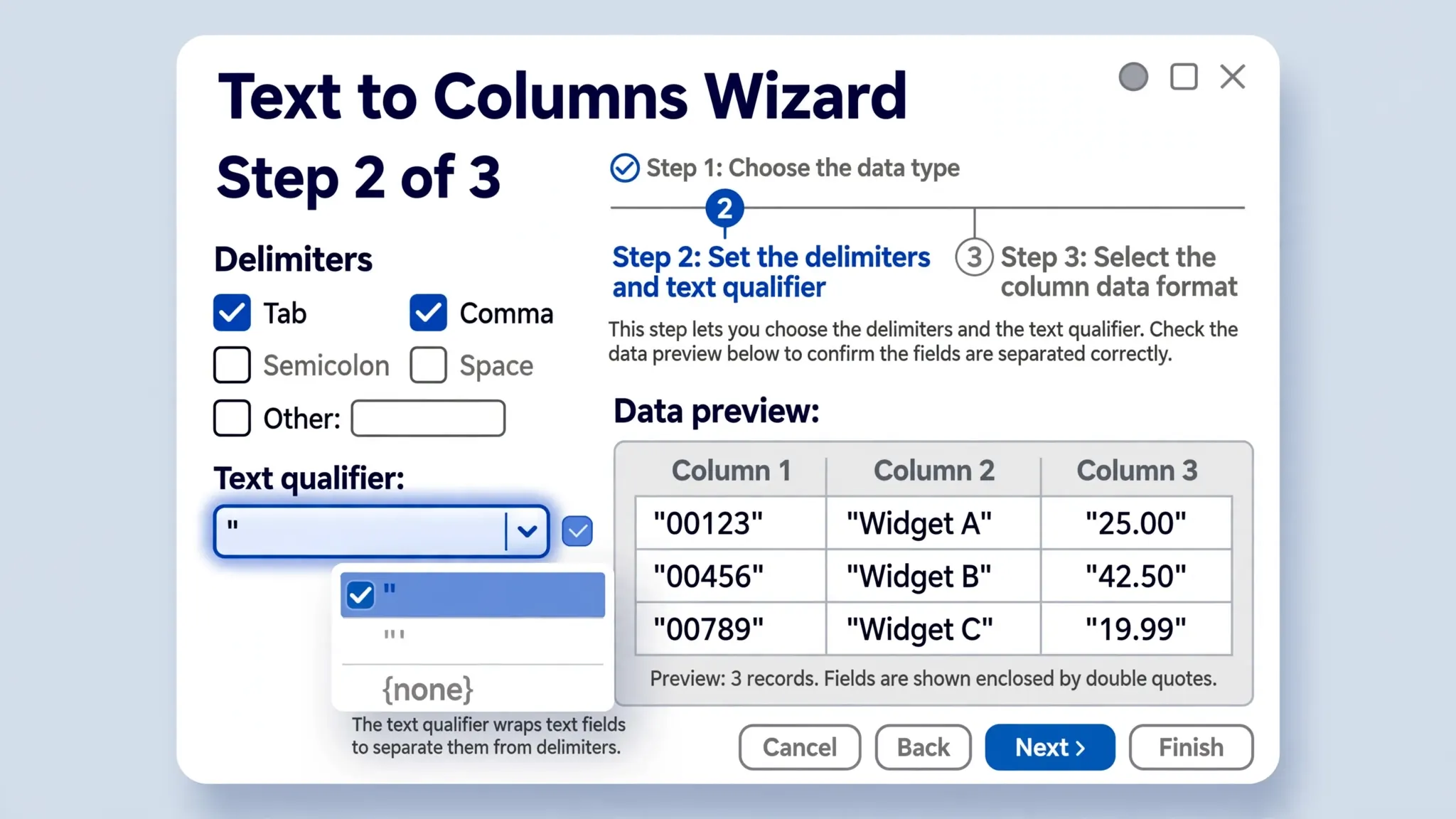
When should you touch it? Almost never. Leave it on ". Change it only when you know the file uses a different qualifier (some European exports use single quotes) — and if you do, the doubling rule applies to that character instead. The {none} option tells Excel to treat quotes as ordinary characters: useful for files where quotes are data rather than structure, but it means delimiter-containing fields will split — use it only when you have verified the file has no quoted fields at all.
A common confusion: the text qualifier does not add quotes to your data — it tells the parser how to read them. If your imported cells show literal quote characters at the start and end ("Smith, John" with quotes visible), the qualifier was set to {none} during import, or the file’s quoting was malformed. Re-import with the qualifier on " and they vanish.
What correct escaping looks like: examples
A worked reference — raw file bytes on the left, parsed cell value on the right:
John,25,London → three plain fields. No quotes needed, none present.
"Smith, John",25,London → Smith, John | 25 | London. Quotes protect the comma.
"She said ""hi""",25,London → She said "hi" | 25 | London. The doubling rule in action.
"""Quoted""",25,London → "Quoted". A field that is only a quoted word: outer wrap + doubled inner pair.
"",25,London → empty string | 25 | London. Two quotes = explicitly empty field (distinct from a missing field in some systems).
"Line one → a two-line cell |
line two",25,London25 | London. Quoted line break stays inside the field.
Study the third and fourth examples until they feel natural — nested-looking quotes are where most people’s mental model breaks. The parser’s rule is mechanical: after the opening quote, read until a quote that is not followed by another quote; "" always means one literal quote. There are no exceptions and no cleverness, which is precisely why the rule is reliable.
How Excel, Sheets, and Python handle quoted fields
Excel (import wizard / Power Query): handles RFC 4180 quoting correctly when the text qualifier is " — doubled quotes un-double, quoted commas stay in-field, quoted line breaks become multi-line cells. Excel’s Save As CSV also writes correct quoting: it wraps fields containing commas/quotes/line-breaks and doubles inner quotes automatically.
Google Sheets: File › Import parses quoting per RFC 4180; downloads write minimal quoting (only fields that need it). Sheets is generally the most forgiving of the three about minor quoting sloppiness.
Python’s csv module: the reference implementation of the doubling rule. csv.reader un-doubles on read; csv.writer doubles on write — you never handle it manually. Key options: quoting=csv.QUOTE_MINIMAL (default — quote only fields that need it), csv.QUOTE_ALL (quote every field; safest for fragile downstream parsers), csv.QUOTE_NONNUMERIC (quote everything except numbers; handy for typed imports). If you write CSVs by hand with f-strings instead of the csv module, you will eventually produce broken quoting — use the module.
Databases vary: PostgreSQL’s COPY ... CSV QUOTE '"' follows RFC 4180; MySQL’s LOAD DATA uses its own escaping dialect by default (backslash escapes!) unless you specify FIELDS ENCLOSED BY '"' — a classic source of “it worked in Excel but not in MySQL.” Always check the loader’s quoting dialect before blaming the file.
Quoting and delimiters: the transatlantic split
Quoting rules do not change with the delimiter — but the need for quoting does, and that causes real confusion in international CSVs. In much of continental Europe, the delimiter is a semicolon (because the comma is the decimal separator), so a field like 1.234,56 needs no quotes in a semicolon-delimited file — but the moment that file is converted to comma-delimited for a US or UK recipient, every such field suddenly needs quoting. This is why European CSVs “break” when opened on American Excel installs: the delimiter changed meaning, and the quoting was written for the other one.
Excel has a little-known escape hatch for this: a first line reading sep=; tells Excel which delimiter the file uses. It is not part of RFC 4180 — it is a Microsoft extension — but Excel honors it, and it travels with the file, unlike a verbal “it’s semicolon-delimited” note. If you produce semicolon-delimited CSVs for European recipients, consider adding the sep=; hint row; just remember that non-Excel parsers may treat it as a data row, so document it.
The doubling rule itself is delimiter-agnostic: whatever the separator, quotes inside quoted fields double. But watch for one trap — tab-delimited files (often saved with a .csv extension by confused exporters). Tabs rarely appear inside fields, so these files are often unquoted entirely; a stray quote character in the data then has no structural meaning and passes through literally. If a “CSV” splits correctly on tabs but shows odd quotes, check whether it is really a TSV wearing a CSV costume.
Quoting edge cases that break real parsers
Beyond the basics, a handful of edge cases separate robust producers from fragile ones:
Space before the opening quote: 25, "Smith, John",London — is that space part of the field? RFC 4180 says spaces are part of fields, so strictly the field is ␣"Smith, John"… but many parsers trim it and treat the quotes as qualifiers anyway. Excel trims; Python’s csv module does not (without skipinitialspace=True). Never rely on this: strip spaces before quoting when you generate.
Quote in the middle of an unquoted field: 25,Say "hi" now,London — RFC 4180 technically forbids bare quotes in unquoted fields, but most parsers (Excel included) pass them through literally. It works until it doesn’t: a strict validator or a database loader may reject the row. If your data contains quotes, quote the field — always.
Empty vs quoted-empty vs missing: a,,c (missing), a,"",c (explicitly empty), and a, ,c (a space) are three different things to a careful parser, one thing to a sloppy one. Databases especially distinguish NULL from empty string — know which your loader produces for each form.
CRLF inside quoted fields: legal per RFC 4180, and the reason naive “split on newlines” scripts corrupt files. Any tool that processes CSV must parse quotes before splitting rows — which is exactly what our CSV line breaks inside fields guide is about.
BOM + quoting interaction: none — the BOM sits before the first field and quoting starts after it. But a parser that doesn’t strip the BOM will glue \uFEFF onto the first field’s opening quote, breaking its quoting. Another reason to use utf-8-sig on read.
Broken quoting: diagnosis and repair
When quoting breaks, the symptoms are distinctive. Columns shift mid-row: a field containing an unescaped quote terminated the field early, so everything after it slid one column left. Phantom rows: a quoted field missing its closing quote swallowed the line break, merging two rows. Doubled quotes visible in cells: the file was parsed with the wrong text qualifier (or not parsed at all — opened in a text editor). Import works in Excel but fails in Python: Excel’s parser is lenient about some malformations that Python’s strict reader rejects.
Diagnosis: open the raw file in a text editor and find the first row where the column count goes wrong. Look at that row’s quotes: you will almost always find an odd number of quote characters — a missing closing quote, or a literal quote that wasn’t doubled. Quote-counting per row (even = plausibly fine, odd = broken) is the fastest triage there is.
Repair options: if the source system can re-export, fix it there — hand-repairing quoting is error-prone. If you must repair: for a stray literal quote, double it and ensure the field is wrapped; for a missing closing quote, add it at the field’s end. Python’s csv.reader is strict about malformed quoting, so preprocess the specific broken rows rather than trying to relax the whole parse. For systematic cleanup of quote characters in data, =SUBSTITUTE(A1,"""","""") in Excel collapses doubled quotes to singles — our Excel SUBSTITUTE function guide covers that pattern.

Generating correctly quoted CSVs
The best quoting bug is the one you never ship. Most broken quoting in the wild comes not from malice but from hand-rolled export code — an f-string here, a ",".join() there — written by someone who never met a field containing a quote. Rules for producers:
- Never build CSVs with string concatenation. Use a real CSV writer: Python’s
csvmodule, Excel’s Save As, Power Query’s export, or your language’s CSV library. Hand-rolled quoting breaks on the first field containing a quote. - Choose QUOTE_MINIMAL or QUOTE_ALL deliberately.
QUOTE_MINIMAL(the default) quotes only fields that need it — smaller files, standard behavior.QUOTE_ALLquotes everything — slightly larger, but immune to parsers with quirky minimal-quoting handling. For maximum compatibility with fragile downstream systems, QUOTE_ALL wins. - In Excel: File › Save As › CSV UTF-8 writes correct quoting automatically — wrap-on-need plus doubling. You do not need to pre-quote anything; in fact, pre-quoting in cells produces tripled quotes on export (your quotes get doubled as data). Keep cells clean and let the exporter qualify.
- Test the round trip. After generating, re-import the CSV into a fresh workbook (or
pd.read_csvit) and diff against the source. Quoting bugs are invisible until something parses the file — so parse it yourself before shipping. - Document non-standard choices. If your pipeline uses single-quote qualifiers or a different delimiter, say so in the file’s README. The next person (or the next parser) will thank you.
CSV double quotes escaping is a small rule with outsized consequences: double the quotes, wrap the field, and an entire category of import failures never happens. Internalize the doubling rule, leave Excel’s text qualifier on ", generate with real CSV writers instead of string concatenation, and quote-related mysteries become five-minute diagnoses. For the quoting-adjacent topic of line breaks inside fields, see CSV line breaks inside fields; for the encoding side of CSV correctness, CSV BOM explained.
Frequently Asked Questions
How do you escape double quotes in CSV?
Double them. Per RFC 4180, a quote character inside a quoted field is written as two quotes (“”). The field itself must be wrapped in quotes: “She said “”hi””” parses as She said “hi”.
What is a text qualifier in CSV?
The text qualifier is the character that marks field boundaries — almost always the double quote (“). In Excel’s Text Import Wizard and Text to Columns, the Text qualifier dropdown tells the parser which character wraps fields containing delimiters, quotes, or line breaks.
Why does Excel show extra quotes in my CSV?
Usually because the file was opened in a text editor rather than parsed: editors show the raw “” sequences, while Excel’s importer converts doubled quotes back to single ones. If Excel itself shows doubled quotes, the text qualifier was likely misconfigured during import.
Should every CSV field be wrapped in quotes?
RFC 4180 requires quotes only for fields containing the delimiter, quotes, or line breaks — but quoting every field (QUOTE_ALL) is valid and eliminates an entire class of edge cases. Many exporters quote everything for safety.
How does Python’s csv module handle quotes?
Python’s csv module implements RFC 4180 doubling by default: csv.writer doubles embedded quotes automatically, and csv.reader un-doubles them on read. Use quoting=csv.QUOTE_MINIMAL (default) or csv.QUOTE_ALL to quote every field.
Can a CSV field contain a line break?
Yes — if the field is wrapped in quotes, line breaks inside it are part of the field, not row separators. Excel preserves them as multi-line cells. Our guide to CSV line breaks inside fields covers this in depth.