Best MicroG Alternatives in 2026 (And When to Use Them)
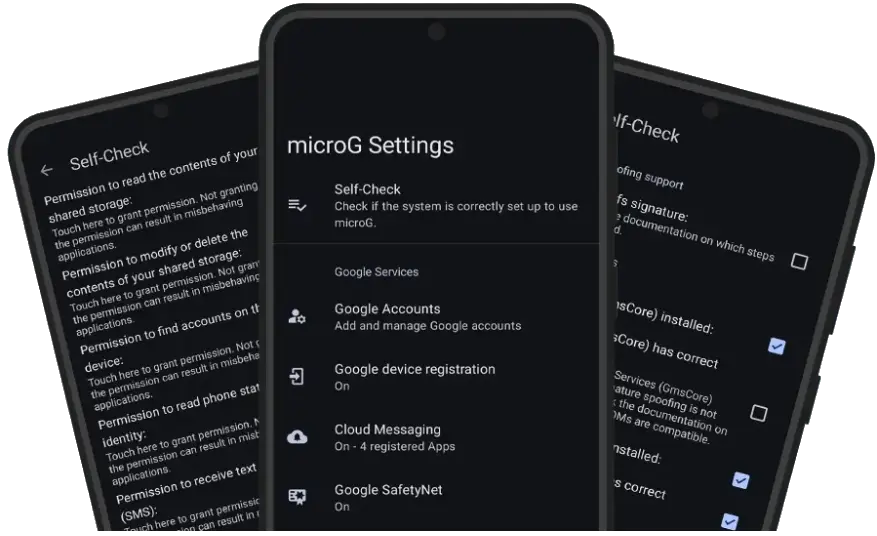
MicroG is a great idea with real rough edges. For most people it does exactly what it promises — it lets apps that expect Google Play Services run on a lighter, more private system. But it is not perfect, and pretending otherwise helps nobody. Some apps refuse to work, signature spoofing is not available on every ROM, and updates can feel fiddly if you installed everything by hand.
So if you are looking at microg alternatives, you are not doing anything wrong. You are asking a sensible question: what else could fill this gap, and what would I gain or lose by switching? This guide walks through the four real options — going back to official Play Services, using a ROM with MicroG built in, using a sandbox app, or dropping Google services entirely — with the trade-offs stated plainly.
Why do people look for an alternative to MicroG?
The reasons are usually practical, not ideological. Push notifications arrive late or not at all after an update. A banking app starts checking Play Integrity and locks you out. Your stock ROM does not support signature spoofing, so MicroG never fully works no matter how carefully you follow the steps for MicroG on Android. Or you bought a Huawei phone with no Google services at all, and a normal install simply is not an option.
There is also a simpler reason: effort. MicroG rewards people who like to tinker. If you would rather have something maintained for you, or something that just works out of the box, an alternative can be the better fit — even if it means giving up some privacy or control.
Option 1: When does official Google Play Services make sense?
It feels odd to list it here, but official Play Services is the baseline everything else is compared against — we did a full head-to-head in MicroG vs Google Play. It offers complete compatibility: every app that expects Google APIs gets them, push notifications are handled by the system they were designed for, and paid apps, subscriptions, and Play Integrity checks pass as intended.
The cost is well known. Play Services is heavy, runs constantly in the background, uses meaningful storage and RAM, and collects far more device and usage data than MicroG does. On an older phone, that weight is often the reason people left in the first place.
Choose the official route if your phone is your work tool, your banking and payment apps must never fail, and you do not want to troubleshoot anything. That is a legitimate choice, not a defeat.
Option 2: What about ROMs with MicroG built in?
If you like MicroG but dislike maintaining it, a ROM that bundles it is probably your best move. LineageOS for microG ships MicroG and F-Droid pre-installed, with updates delivered alongside system updates. /e/OS builds a more complete Google-free experience around MicroG, including its own app store and cloud services. CalyxOS includes MicroG as an optional component you can enable during setup, and is known for a more polished, security-focused approach.
Because the ROM team integrates everything, signature spoofing works properly, updates arrive together, and you avoid the mismatched-signature problems that come from mixing downloads from different places. The downside is the commitment: installing a ROM means unlocking your bootloader, wiping your phone, and checking that your exact model is supported. Back up everything first, and be honest about whether you want to live on a custom ROM long-term.
Option 3: How do sandbox apps work on Huawei phones?
On recent Huawei devices there is no Play Services to replace, and installing MicroG the normal way often is not enough. That is the gap GBox, Gspace, and similar container apps try to fill. They create a separate, virtual space on the phone that includes Google services, and you run your Play Store apps inside that space.
The advantage is convenience: no ROM flashing, no root, and you can get popular apps running fairly quickly. Our dedicated guide to MicroG on Huawei without Google covers the limits in more detail. The trade-offs are real, though. You are trusting a closed-source container company with everything you do inside it, apps inside the container can feel slower, notifications can be unreliable, and you are running Google services anyway — just boxed up. Treat these tools as a practical workaround for a difficult phone, not as a privacy solution.
Option 4: Can you skip Google services entirely?
Yes — and more people do this happily than you might expect. A fully Google-free phone uses F-Droid for open-source apps, which covers browsers, messaging, maps with offline data, email, media players, and plenty more. When you need an app that only exists on the Play Store, Aurora Store can download free apps without a Google account or Play Services.
What breaks? Push notifications for many mainstream apps, because they rely on Firebase Cloud Messaging. Some apps will poll in the background instead and use more battery; others simply will not notify you. Paid apps, in-app purchases, and anything that verifies a Play licence will not work, and Play Integrity-heavy apps are off the table. What you get in return is the lightest, most private, most predictable phone of any option here — no background services you did not choose.
How do the MicroG alternatives compare side by side?
| Option | Best for | Privacy | App compatibility | Effort |
|---|---|---|---|---|
| Official Play Services | Maximum reliability, work phones | Low | Excellent — everything works | Low |
| MicroG (self-installed) | Control on a supported ROM | High | Good, with some gaps | Medium to high |
| ROM with MicroG built in | A maintained Google-light phone | High | Good, updates handled for you | High at setup, low after |
| Sandbox apps (GBox/Gspace) | Huawei phones without Google | Low to medium | Fair — apps run in a container | Low |
| Google-free (F-Droid + Aurora) | Privacy and simplicity | Highest | Limited for mainstream apps | Medium |
Read the table honestly against your own priorities. No row wins every column, which is exactly why this choice confuses people. The right answer depends on which column you refuse to compromise on.
How should you choose the right option for you?
Start with your non-negotiables. If a specific banking, work, or payment app must work every time, test it early — its Play Integrity requirements may decide for you. If privacy is the whole point, a MicroG ROM or a Google-free setup are the only rows worth considering. If your phone cannot run MicroG properly and cannot be flashed, a sandbox app may be your only practical path, used with clear eyes about its limits.
And if MicroG itself is actually working for you, do not switch just because an alternative sounds cleaner. A working setup you understand beats a theoretically better one you have to rebuild from scratch. You can always return to our homepage or grab the current build from the download page if you decide to stay.
Frequently Asked Questions
What is the closest of the microg alternatives?
The closest alternative is a ROM with MicroG built in, such as LineageOS for microG or /e/OS. You get the same core services, but they are integrated by the ROM maintainers and updated with the system, so there is less manual setup.
Can I use Android normally without MicroG or Play Services?
Yes, for a lot of daily use. F-Droid covers open-source apps and Aurora Store can download free Play Store apps without a Google account. What you lose is push notifications for many apps, paid-app licensing, and apps that hard-require Play Services or Play Integrity.
Are GBox and Gspace the same as MicroG?
No — and they are not microg alternatives in the same sense. MicroG replaces Play Services at system level. GBox and Gspace-style apps run your apps inside a container that includes Google services. The container approach is easier on Huawei phones, but it adds another layer, another company to trust, and extra battery use.
Will banking apps work on MicroG alternatives?
Sometimes, but there is no guarantee with any alternative. Banking and payment apps increasingly check Play Integrity, and a modified or Google-free setup can fail that check. If a banking app is essential, test it before you commit, and keep a backup way to access your account.
Should I switch back to official Play Services?
If you need maximum app compatibility, reliable push for every app, and zero tinkering, official Play Services is the honest answer among microg alternatives. The trade-off is heavier background activity, more storage and RAM use, and far less privacy control.
Get MicroG
Still think MicroG itself beats the microg alternatives for your phone? Start from the homepage for an overview, read the full details on the download page, or install it directly: Download MicroG APK. Whichever route you choose, choose it for your actual priorities — not for anyone else’s idea of the perfect phone.
1 thought on “Best MicroG Alternatives in 2026 (And When to Use Them)”
Comments are closed.